
When viewing your activation code, there will be a list of steps needed to activate your code. Every product will vary a little, but all activation codes must be redeemed from the website associated with the product.
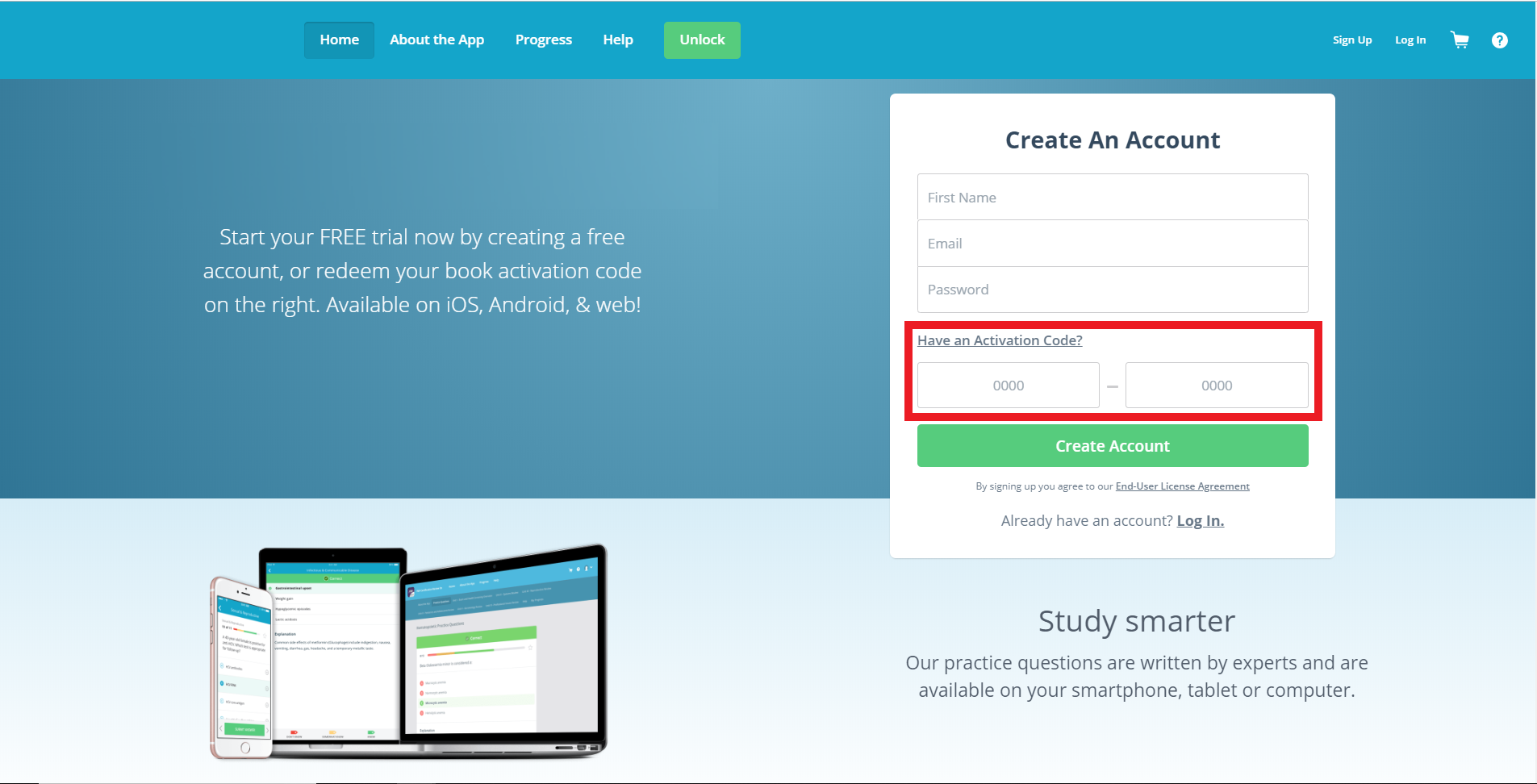
If you have not created an account, please complete the registration process and add your activation code.
If you already created an account, please use the Log in option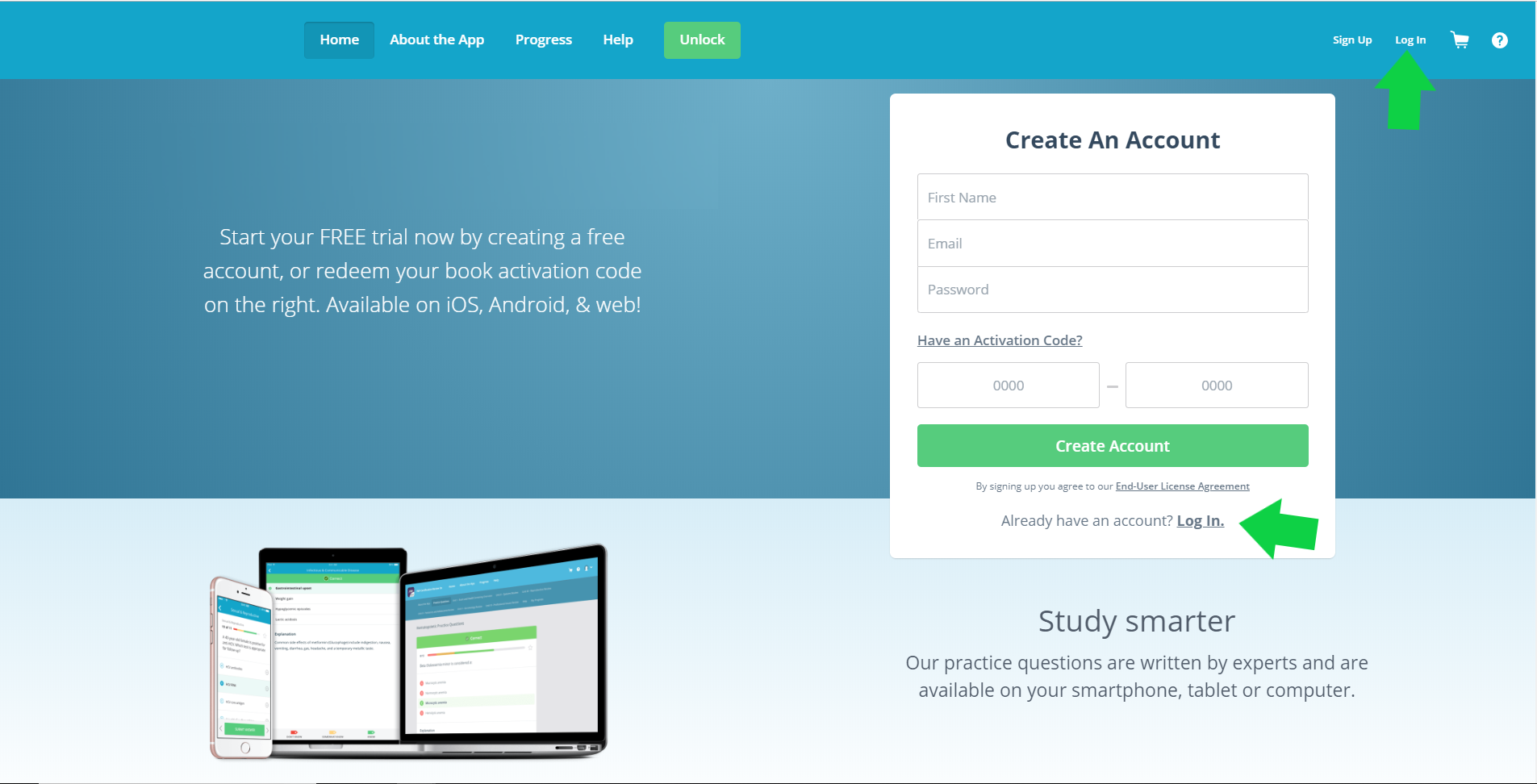
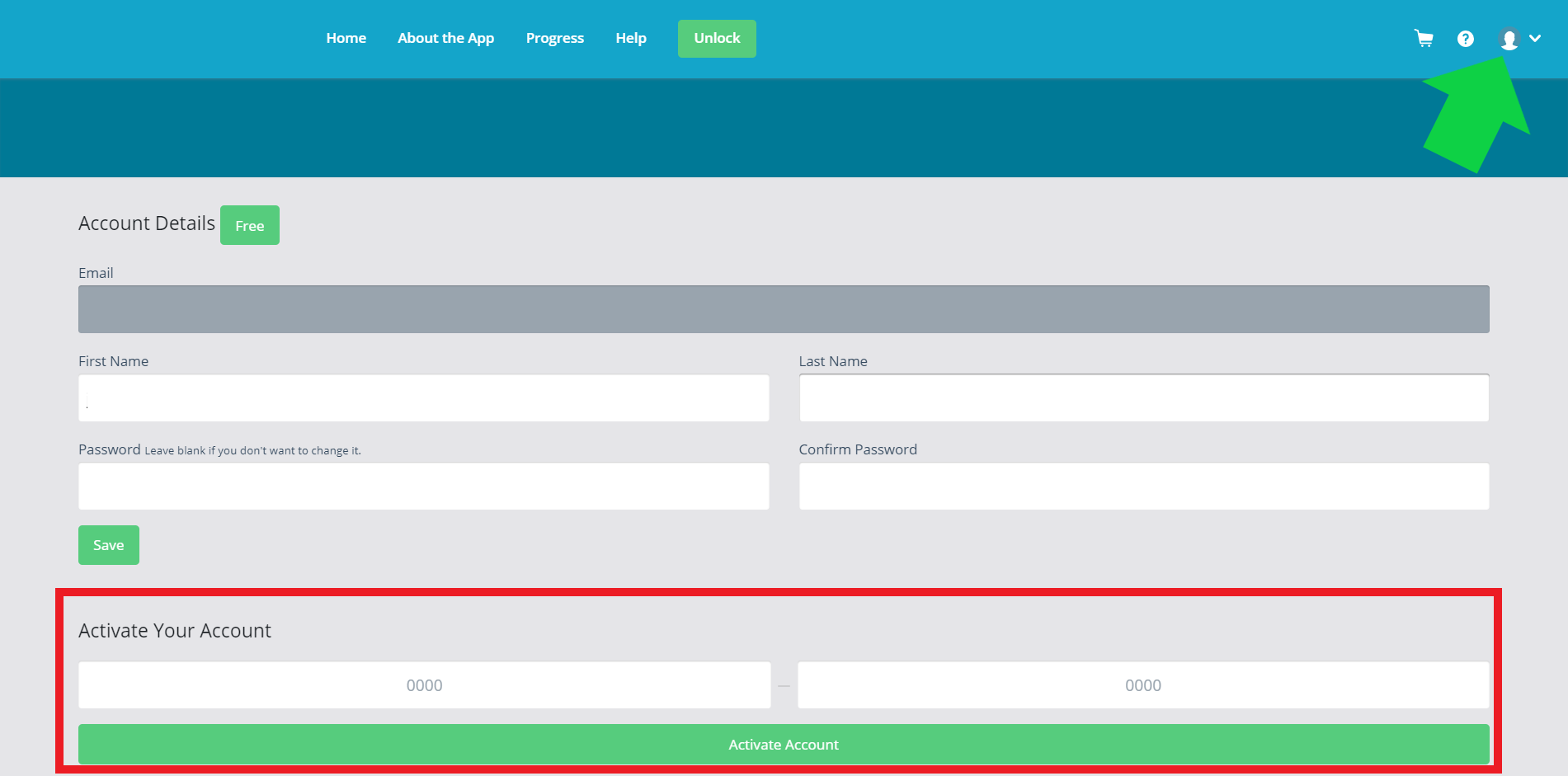
Once you are logged in, click the head-in-circle icon or "Profile" on the top right of the screen. On the following page, you will have the ability to add an activation code.
or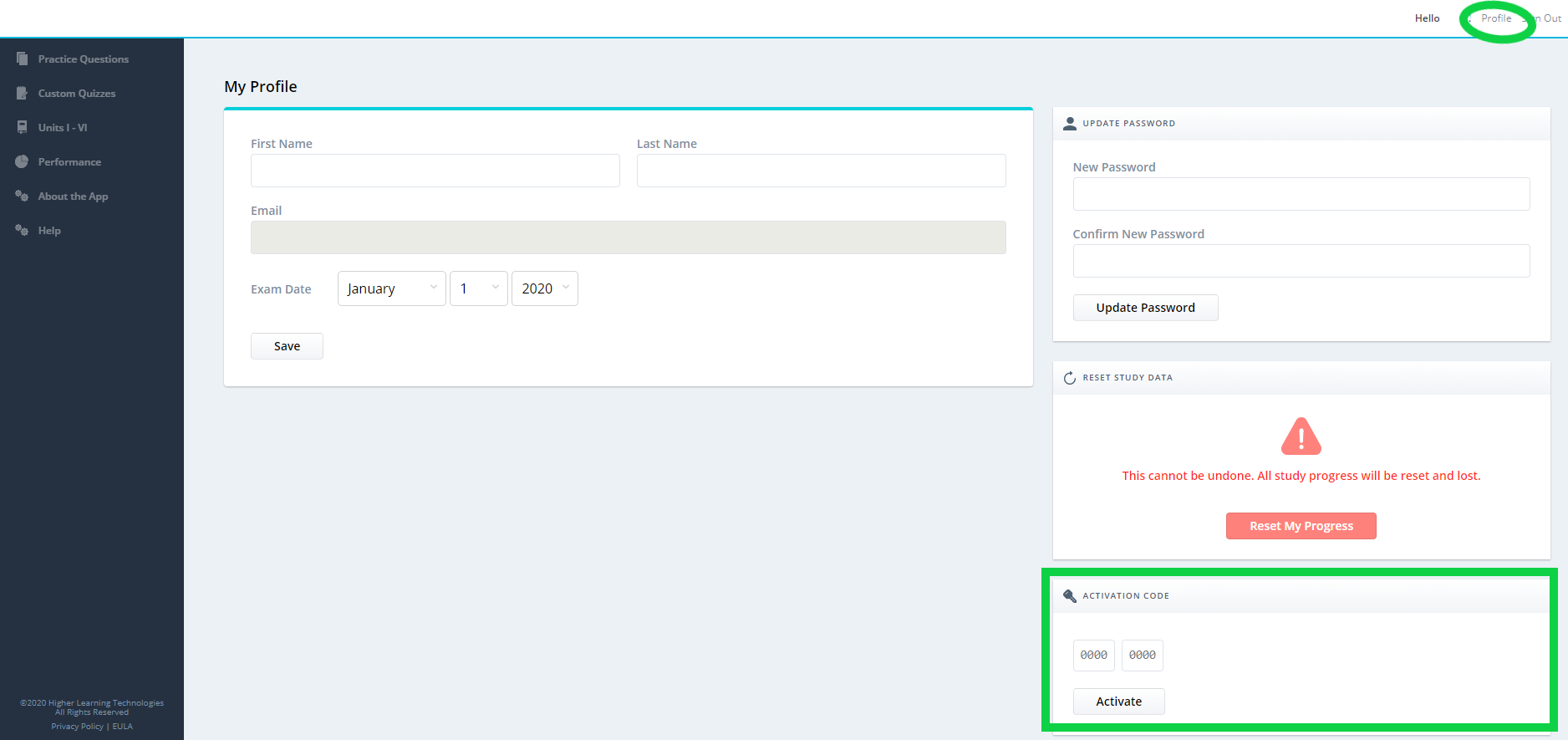
Enter the code in ALL CAPS and select "Activate".
Comments
0 comments
Article is closed for comments.