
There is only one platform that allows you to Upgrade or Downgrade your Subscription. If you completed the transaction through the Google Play App Store, you will have the ability to either upgrade or downgrade your subscription.
This option is not available if the transaction was completed through the Apple App Store or on the product's website.
This is a feature is something that only Google Play allows to be integrated into the product.
Android
- On your Android phone or tablet, open the Google Play Store
.
- Check if you’re signed in to the correct Google Account.
- Tap Menu
Subscriptions.
- Select the subscription.
- Tap Manage

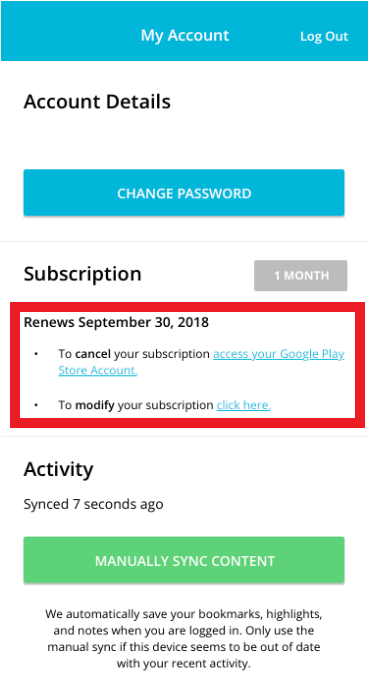
The image below shows the ability to link out to your Google Play account from within the Profile screen.
Comments
0 comments
Please sign in to leave a comment.